Many people go to college to learn, have fun, meet new people, and try new things. For me, it is all of the above and vulnerability hunting. This September, I began attending a major university in California as a freshman. However, less than a month after arriving here, two of my friends and I discovered university credentials, PII, and more. In this post, I am going to unpack what happened, how it happened, and share some mitigation strategies for a typically overlooked data vulnerability.
Death by a Million Spams
On Tuesday, October 14th, an email was sent to every undergraduate student in the School of Engineering with the message “you should reply all to this email”.
Immediately, people began replying all to this email causing a mass outrage surrounding the thread. In total, more than 270 emails were sent on this single email thread with more email threads being created telling people to stop replying.
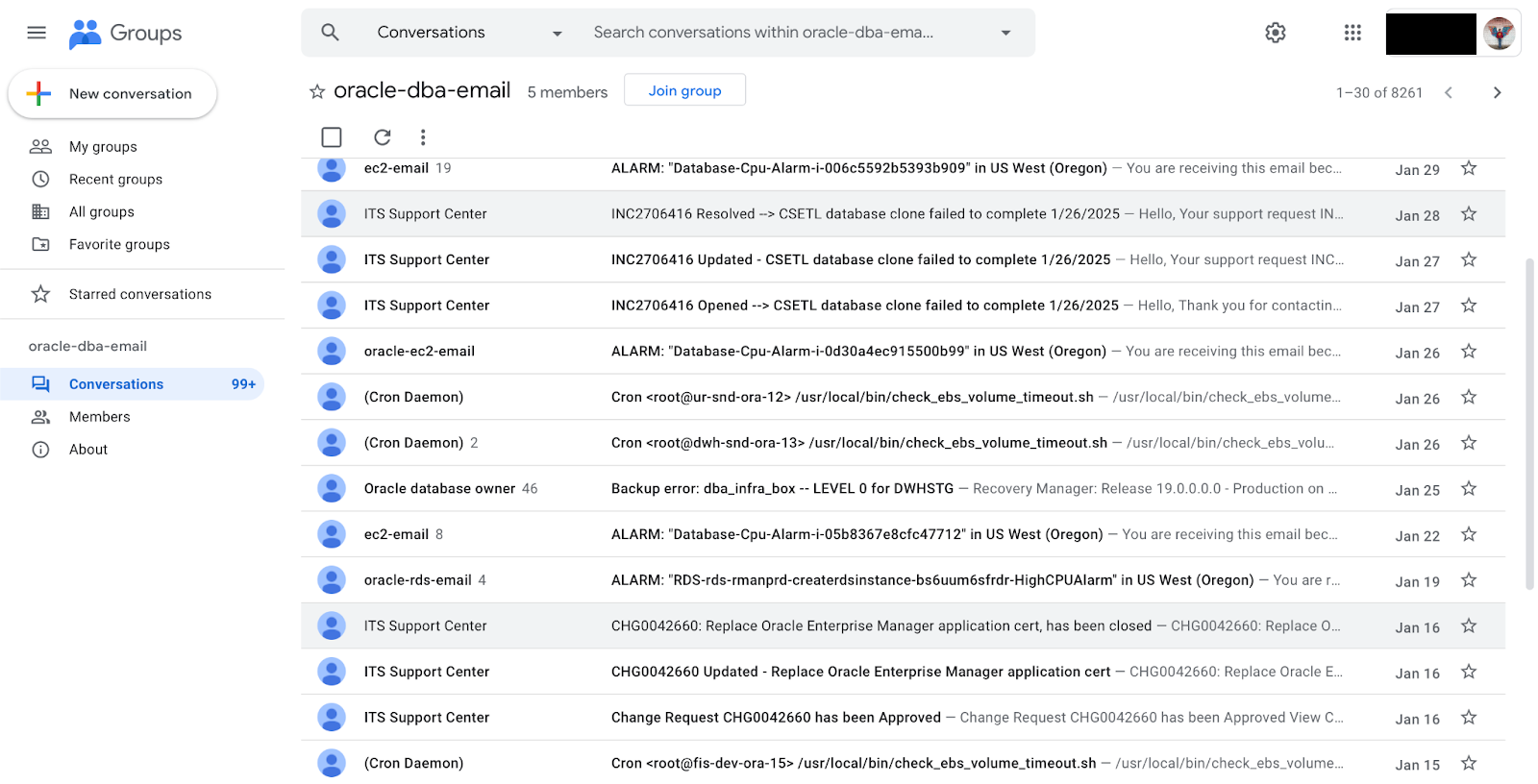
However, this email prompted more than 270 people replying all to the email. For context, Ben Faershtein (https://github.com/RCGV1), my friend, and I had recently been investigating email services at the university. When this email was sent, he texted me saying that he knew how it had happened: Google Groups, the rainbow colored tech giant’s service for shared mailboxes. While Google Groups are available to anyone with a Google account, they are primarily used in enterprise environments for mailing lists and support inboxes. It comes complete with a full online portal for people to view the group inboxes.
Preliminary Searching
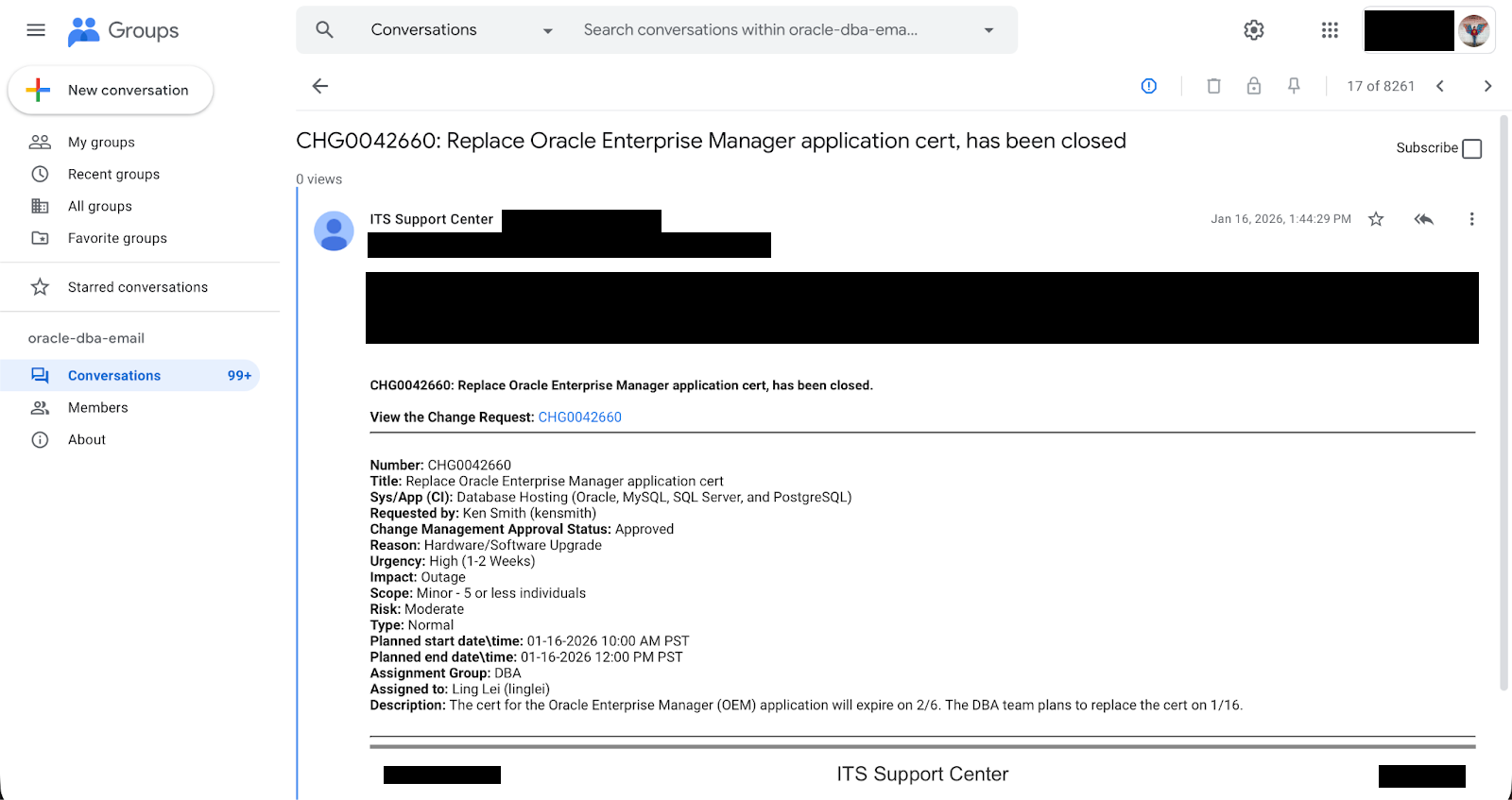
Ben told me how someone had sent an email from an anonymous proton email to the Baskin Engineering Undergraduate mailing list. Except, that was not the only list that he could see. In fact, there were thousands of other Google Groups.
Together, we began searching the groups to see if there was anything interesting or private that was accidentally available organization-wide. My immediate reaction was to begin looking for credentials: passwords, ssh keys, anything.
As we began to look through thousands of emails, I brought on another friend to the effort, M— (https://github.com/another-student-gh). He had previously worked on automation surrounding Google Contacts and was familiar with Google Groups. Our goal was to understand if the university had excessive permissions for privacy sensitive information or credentials.
After less than an hour of searching, the three of us found credentials that a 3rd party vendor had provided to the university. Someone had placed a temporary plaintext password for the user into the email. This password quickly proved to not be temporary, as it was valid and the email was from seven years ago!
We notified the university’s IT security team about the issue and took a break for the evening.
Editor’s Note: Since our initial investigation, we have confirmed with the university that the 3rd party service did not contain any directly sensitive information.
More Than Just Credentials
The next day, IT emailed us back, saying that the email group with the credential leak had been secured against typical student and faculty access. They also asked us to notify them of any other unsecured groups, and that is exactly what we did.
We continued our search through Google Groups, but took a different approach. Based on the difficulty in both search terms and time it took us to find the email with credentials, we decided that it was unlikely that there would be other credential leaks. Instead, we decided to focus on three main categories: Confidential Information (CI), Personal Identifying Information (PII) and Password Reset Inboxes (PRI).
We expected to only find a few more inboxes, but we were shocked when it totalled to an additional 30 inboxes that required securing.
What’s more unfortunate was that we also discovered an organization-wide readable inbox with hundreds of emails containing Non-HIPAA protected personal health information (PHI). We also found a mailbox tracking students paying university fees, and confidential information about internal university operations. Thankfully, none of the mailboxes contained any form of critical information such as SSNs, credit card numbers, or banking information.
All of these mailboxes were secured within two hours of notifying the IT security team.
Conclusion
Overall, this incident resulted from a simple configuration oversight. The default access level when creating Google Groups was set to “Group Members Only”, but many groups had been manually adjusted to allow organization-wide access. Additionally, Google has not provided sufficient automated scanning tools to IT staff and they are not equipped to create a custom scanner for sensitive information inside of Google Groups. This solution could have flagged these misconfigured groups to IT far before we did.
Although the IT staff had configured the default permissions to be group members only, many group owners had disregarded this and updated the permissions to be organization wide. This exposed the Google Group’s content without any review for sensitive data exposure.
This could happen to anyone, because the weakest link in any security system is the human one.
I strongly encourage organizations to regularly audit not just what systems should be sharing, but what they are actually exposing to internal and external audiences. Access control reviews and internal data hygiene are just as critical as external security measures.
Thank you to the IT staff who collaborated with us during the investigation and resolution process.
Credit to M— (https://github.com/another-student-gh) and Ben Faershtein (https://github.com/RCGV1) for their key roles in both discovery and remediation.